Bad UX doesn't send a warning. It shows up quietly in your churn report, your support queue, and your activation rate. SaaS products rarely fail because they lack features. They fail because users can't find the ones they have, can't get through onboarding without getting lost, and can't justify renewing when the product feels more like a puzzle than a tool.
SaaS UX design is the discipline that prevents that. It's not about making software look polished. It's about making it work the way users expect, reducing friction at every step, and building an experience that earns the next billing cycle. This guide covers nine practices that separate products users stick with from ones they quietly cancel.
SaaS companies have one brutal reality to deal with: users cancel. Every month, the subscription renews or it doesn’t. UX design sits right at the center of that decision.
Poor interface design creates confusion, frustration, and drop-off. Strong UX builds confidence, speeds up task completion, and makes the product feel worth keeping. According to Wyzowl’s research, 63% of customers consider the quality of post-purchase support and onboarding when making their initial purchasing decision. Getting UX right isn’t just about aesthetics; it directly affects acquisition, conversion, and retention.
The best SaaS products invest in UX from day one, not as an afterthought once the codebase is locked in. Here are the practices that make the difference.
The onboarding flow is your first and most important UX statement. Users form opinions fast. If the first few minutes inside your product feel confusing or overwhelming, many won’t come back.
Wyzowl found that 86% of customers are more likely to stay loyal to a business that invests in educational onboarding content after purchase. That loyalty doesn’t happen by accident; it’s the result of deliberate design.
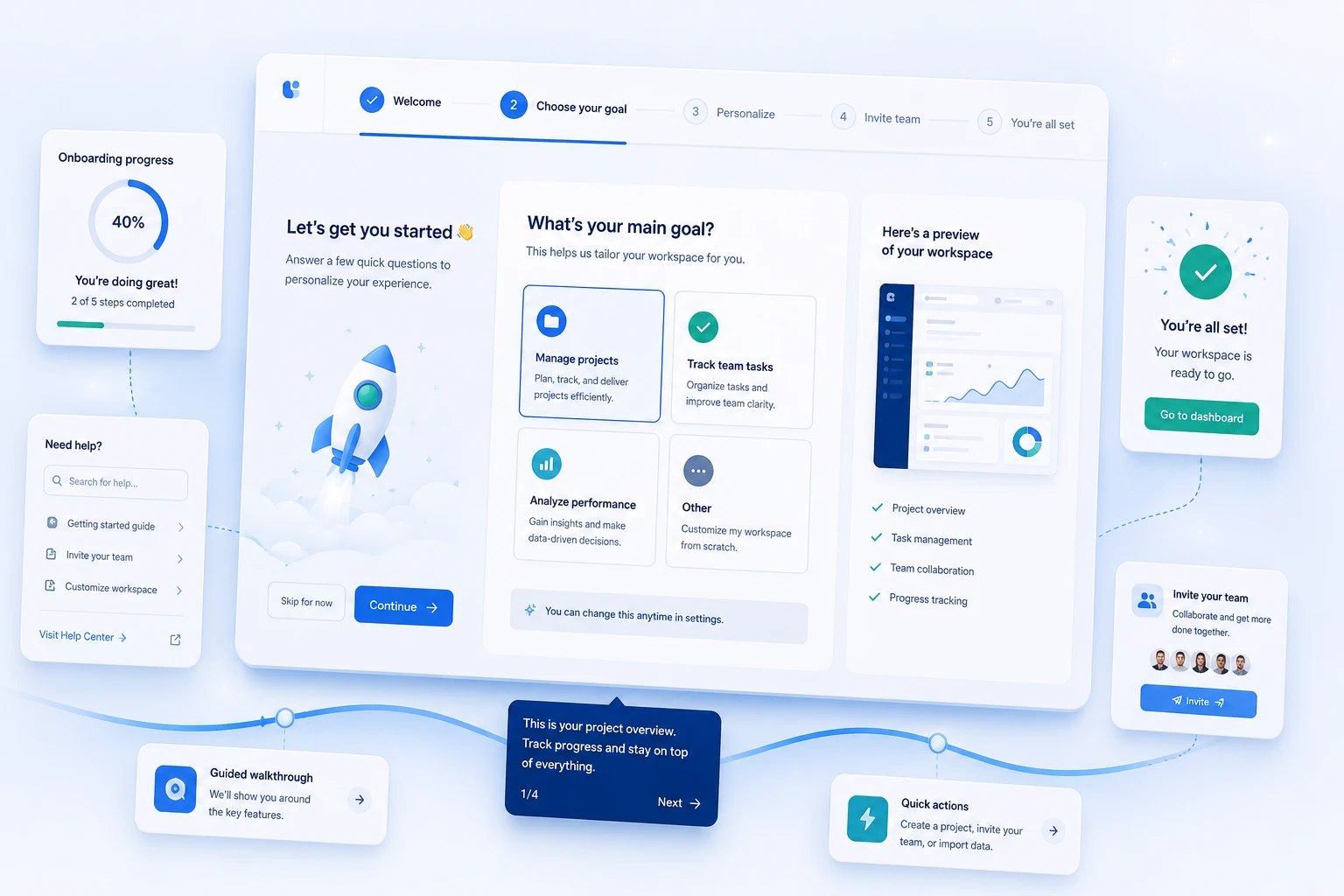
What effective SaaS onboarding looks like:
Onboarding doesn’t end after the first login. Think of it as an ongoing education layer that grows with the user. New features, advanced workflows, and role-based tutorials all fall under this umbrella.
A complicated registration process kills conversion before a user ever sees your product. Every extra field, every unnecessary step, and every unclear error message is a door that doesn’t fully open.
The goal is to get users to their “aha moment” as fast as possible. That means removing every obstacle between intent and value.
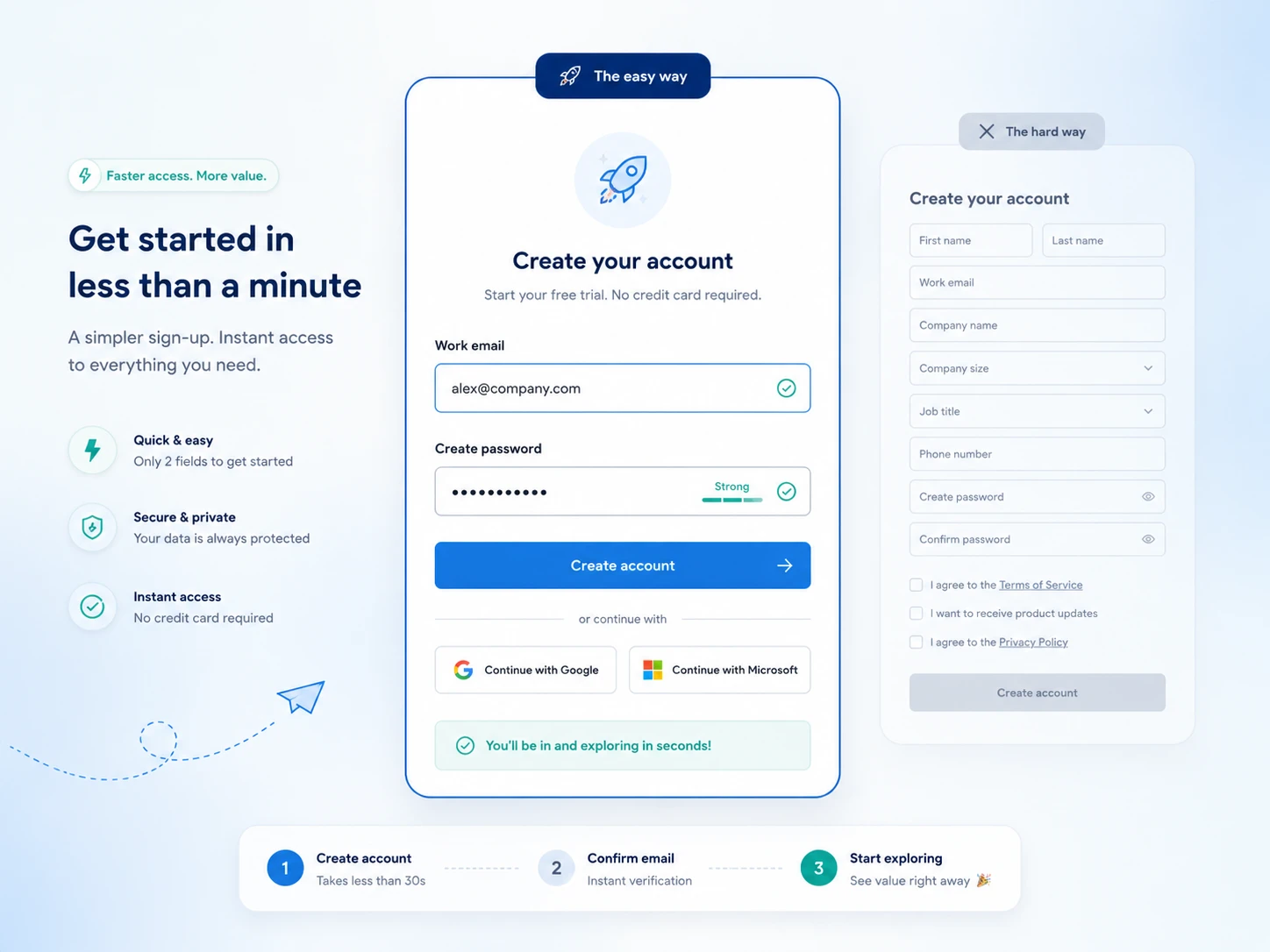
Practical registration improvements:
Registration is part of UX. A designer who ignores the signup flow is skipping the front door entirely.
Information architecture (IA) determines how users navigate your product. Get it wrong and even well-designed features become invisible. A user who can’t find what they need is a user who cancels.
Strong IA starts with understanding how your users think, not how your engineering team built the backend. Top-level navigation should reflect user goals, not product categories. Mailchimp puts “Why Mailchimp?” as its first menu item because their primary job at the top of the page is to justify the product’s value, not list its features.
How to build better IA for SaaS products:
IA is invisible when it works. When it doesn’t work, every support ticket and every churn survey will point back to it.
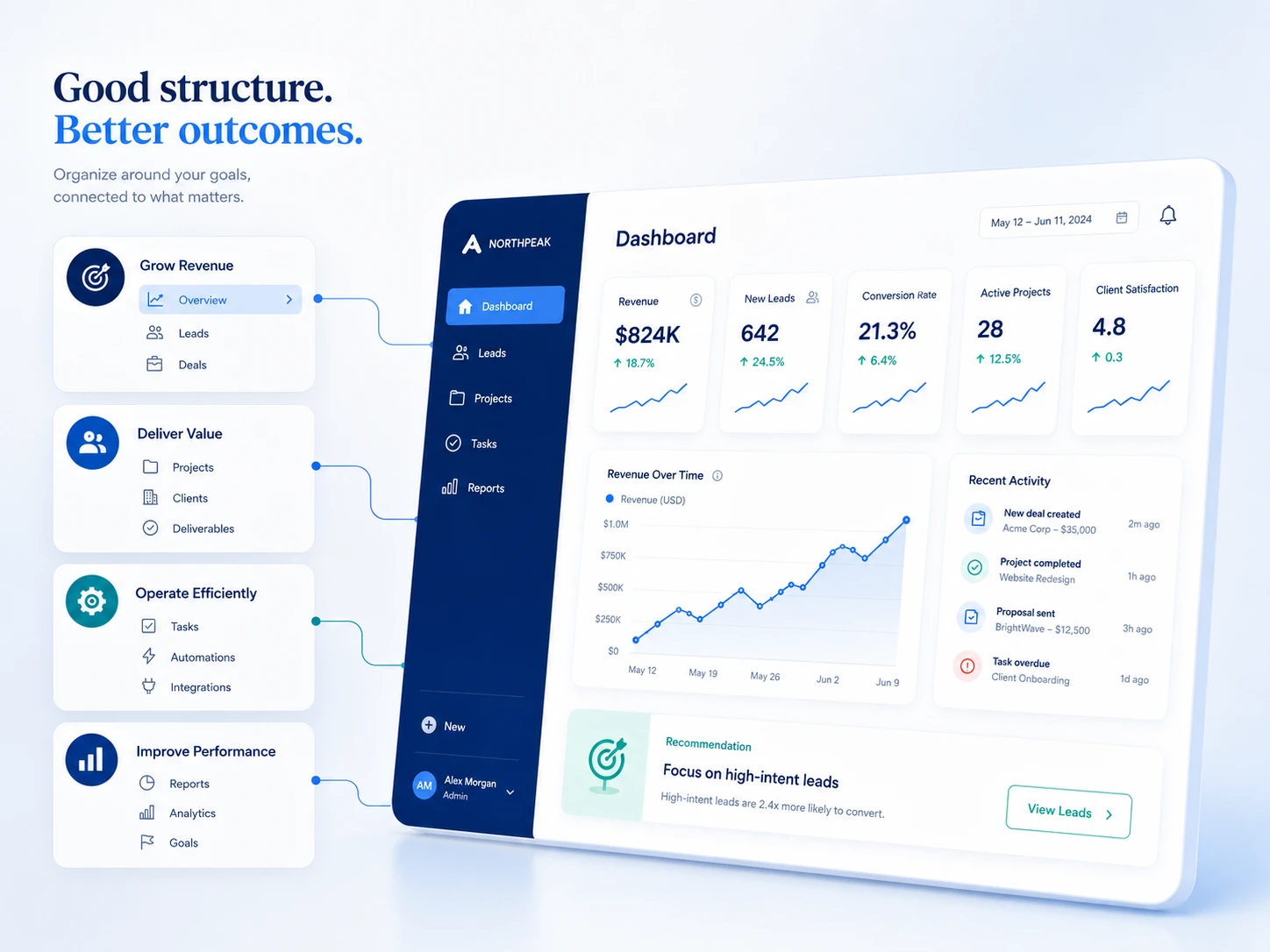
The dashboard is typically the first screen a user sees after login. It’s where retention is won or lost on a daily basis. A cluttered, unclear, or generic dashboard signals to the user that the product doesn’t understand them.
There are three types of dashboards that appear most commonly in SaaS products:
Each type has different design requirements. Don’t try to combine all three into one screen.
What makes a dashboard work:
A dashboard that tells users exactly what they need to do next is worth more than a dashboard that displays everything at once.
SaaS products are often complex by nature. Showing that complexity all at once is a design failure, not a feature.
Progressive disclosure is the principle of revealing information and functionality gradually, as users need it. Jakob Nielsen, co-founder of Nielsen Norman Group and one of the most cited researchers in UX, identified progressive disclosure as one of the core strategies for managing interface complexity. The idea is simple: show the essentials first, let users go deeper when they’re ready.
How to apply progressive disclosure in SaaS:
This approach keeps novice users from getting overwhelmed while ensuring power users can access everything they need. It’s one of the most underused tools in SaaS UX.
Consistency is a UX principle, not just an aesthetic preference. When buttons look different on different screens, when spacing shifts between sections, when modal behavior changes by feature – users lose trust in the product. It feels unfinished.
A design system solves this at scale. It’s a shared library of components, patterns, tokens, and guidelines that keeps every screen cohesive across teams, products, and time.
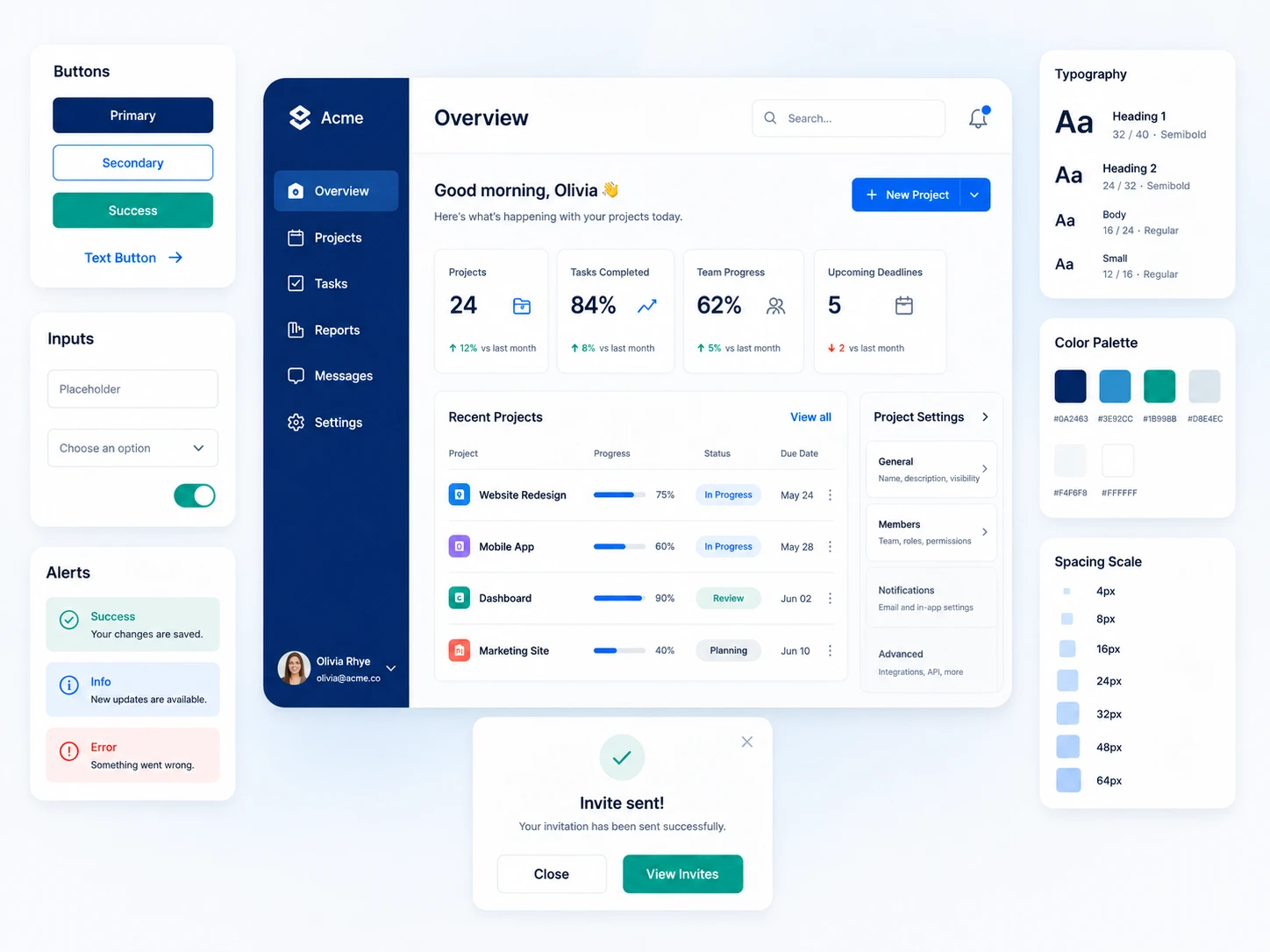
What a SaaS design system typically includes:
Design systems reduce design and development time, eliminate inconsistencies, and let teams ship new features without reinventing the wheel. Companies like Atlassian (Atlassian Design System), Shopify (Polaris), and IBM (Carbon) publish their systems publicly because the investment pays off internally and externally.
If your SaaS product is still making design decisions component by component, you’re accumulating UX debt with every release.
You cannot design around assumptions for long. At some point, real users will show you exactly where your assumptions were wrong.
User research is the process of collecting direct evidence about how people use your product – what they expect, where they get confused, and what they’re actually trying to accomplish. It’s not expensive data science. It’s watching five users try to complete a task and taking notes.
Practical user research methods for SaaS teams:
Build research into your process, not just your roadmap. Teams that test regularly ship better UX faster.
SaaS UX often gets designed on desktop first and scaled down to mobile as an afterthought. That’s a mistake. A significant share of SaaS users access dashboards, notifications, and task views on mobile devices, especially in operational and field-use contexts.
Accessibility is not optional. In the US, the Americans with Disabilities Act (ADA) applies to digital products, and users with visual, motor, or cognitive differences deserve the same quality of experience as everyone else. Beyond compliance, accessible design often improves UX for all users.
Core checklist for mobile and accessible SaaS UX:
If your SaaS product only works well on a 27-inch monitor for a sighted user with a mouse, you’ve excluded a large portion of potential customers.
Even the best-designed product generates questions. The support experience is part of UX. How you handle user confusion directly influences retention.
Effective SaaS support isn’t just reactive. It’s designed into the product.
Support systems that improve UX:
Stewart Butterfield, co-founder of Slack, put it directly: “Every customer interaction is a marketing opportunity. If you go above and beyond on the customer service side, people are much more likely to recommend you.”
Support is also a research channel. Ticket patterns reveal UX failures that your analytics won’t surface. Build a feedback review process and use it to inform design decisions.
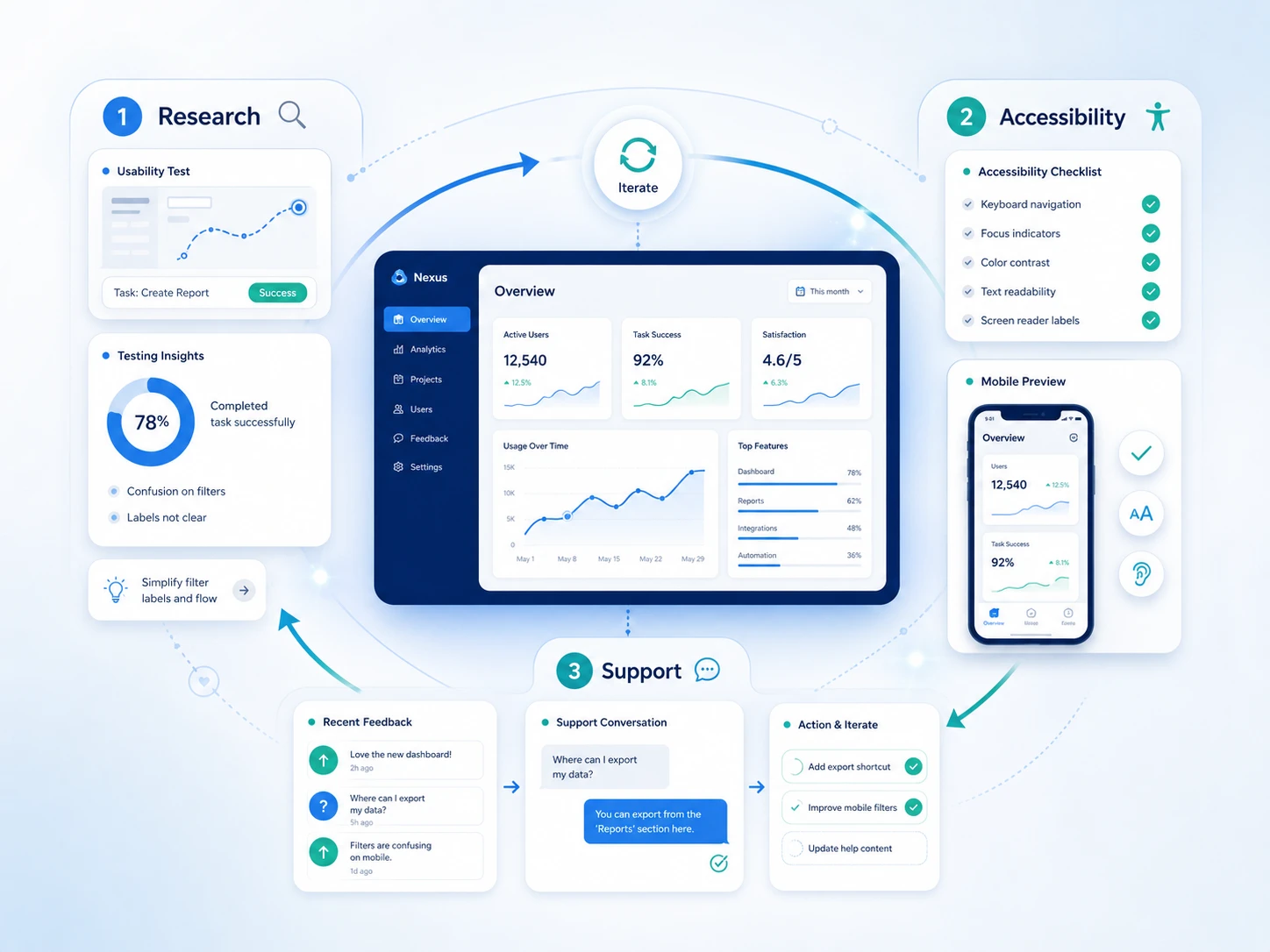
SaaS UX isn’t a one-time project. It’s a continuous investment in making your product easier to use, understand, and rely on. The companies that treat UX as a strategic function – not just a visual layer – build products that retain users, generate referrals, and compound in value over time.
Start with your highest-friction points. Fix onboarding first if users aren’t activating. Fix your dashboard if they activate but don’t return. Fix IA if they use the product but miss key features. Iteration beats perfection.
SaaS UX design is the practice of designing the user experience of cloud-based software products. It covers everything from onboarding flows and dashboards to navigation, accessibility, and support touchpoints. The goal is to make complex software easy to learn, efficient to use, and worth keeping.
SaaS products operate on recurring subscriptions. Users can cancel every month. Poor UX accelerates churn by making products feel difficult, confusing, or untrustworthy. Strong UX design increases product adoption, reduces support burden, and directly supports retention.
SaaS products often serve multiple user types within the same organization (admins, end users, decision-makers) and must balance feature depth with everyday usability. They also need to support ongoing workflows, not just one-time tasks. SaaS UX must scale with the product over time.
The highest-impact practices include: streamlined onboarding, simplified registration, logical information architecture, purposeful dashboard design, progressive disclosure, a shared design system, regular user research, mobile and accessibility compliance, and a designed support experience.
Significantly. According to Wyzowl, 86% of customers are more likely to stay loyal to a business that provides educational onboarding content. Poor onboarding is one of the leading causes of early churn. Users who don’t reach their first success moment quickly will often abandon the product before the end of their first billing cycle.
Progressive disclosure is a UX design principle associated with Jakob Nielsen of Nielsen Norman Group. It involves revealing features and information gradually as users need them, rather than presenting everything at once. This reduces cognitive load and prevents new users from feeling overwhelmed by complex tools.
Design systems create consistency across a product, speed up the design and development process, and reduce UX debt. Without a shared component library and guidelines, products accumulate inconsistencies that erode user trust over time. Companies like Atlassian, Shopify, and IBM have invested heavily in design systems because the long-term return is significant.
Accessibility ensures your product works for users with visual, motor, cognitive, or auditory differences. In the US, ADA considerations apply to digital products. WCAG 2.1 AA is the standard most SaaS teams should target. Beyond compliance, accessible design typically improves usability for all users, not just those with disabilities.
Moderated usability tests, unmoderated remote testing, user interviews, in-app analytics, and support ticket analysis all contribute useful evidence. No single method is complete on its own. Combining quantitative data (what users do) with qualitative insight (why they do it) produces the most actionable findings.
When internal design resources are stretched, when user research is nonexistent, when churn is high but the cause is unclear, or when a product is preparing for a significant redesign or new market entry. A specialized SaaS design partner brings both process and product perspective that in-house teams may not have bandwidth to develop.




A digital transformation agency bringing strategy, design, and development together to build useful digital products for ambitious businesses.